

Merging MathMatize Accounts
A guide on how to merge two MathMatize accounts
Merging MathMatize Accounts
Who is this guide for?
This guide is for students who received a warning in their MathMatize classroom about an "Invalid account".
Background
Your class has integrated MathMatize into your school's Learning Management System (LMS), for example Canvas, Moodle or Brightspace. When you first click the MathMatize link in your LMS classroom, MathMatize creates a new LMS linked account for you. You saw the classroom warning because you are currently logged into MathMatize with another MathMatize account that is not linked to your LMS. Having two MathMatize accounts in the same classroom can lead to confusion and might result in loss of progress. This guide will help you merge your two MathMatize accounts so you can keep your progress in one place.
How to merge accounts
- Sign in to MathMatize via your LMS. If you're unsure of how to do this, ask your instructor as the steps depend on how they set up the integration.
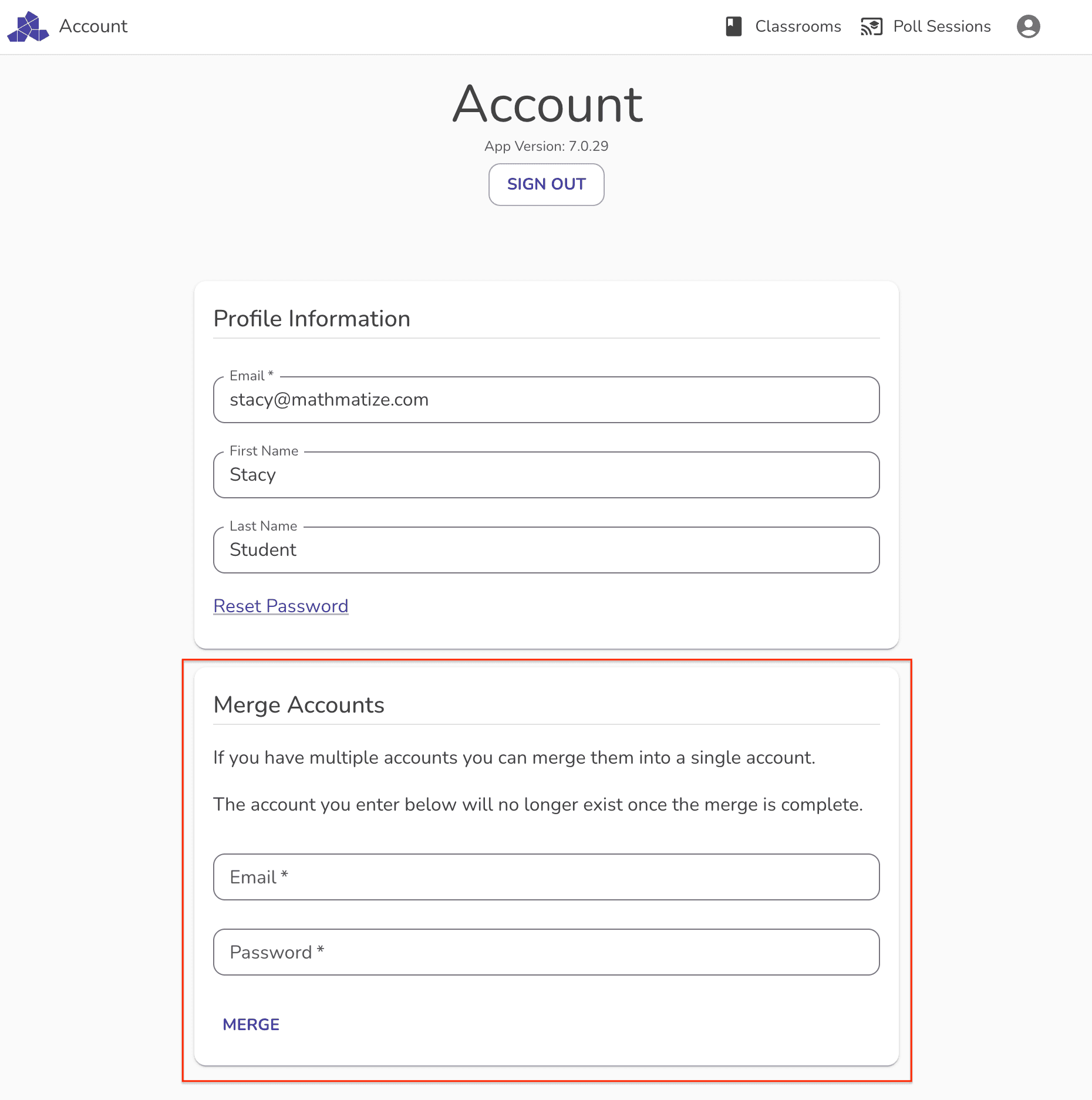
- Open the MathMatize account page.

- Enter credentials for your non-LMS account into the "merge account" form and click "merge".
All done! Assignment submissions, class membership, sign-in credentials and payments will transfer to your new combined account. You'll be able to sign in with your email and password, or from an LMS link.
FAQ
Q: I don't see the merge accounts form, help!
A: The merge account form will not be visible if you are not signed into your LMS created account or if you have already merged accounts.
Q: I paid for one of my accounts, will that transfer?
A: Yes.
Q: I made progress in both accounts. Will I lose that?
A: We'll take your best results from each account.
Q: I'm a member of different classrooms in each account, will I lose access?
A: No, all class memberships will be transferred to the resulting account.
Still need help? Get in touch with us at questions@mathmatize.com